


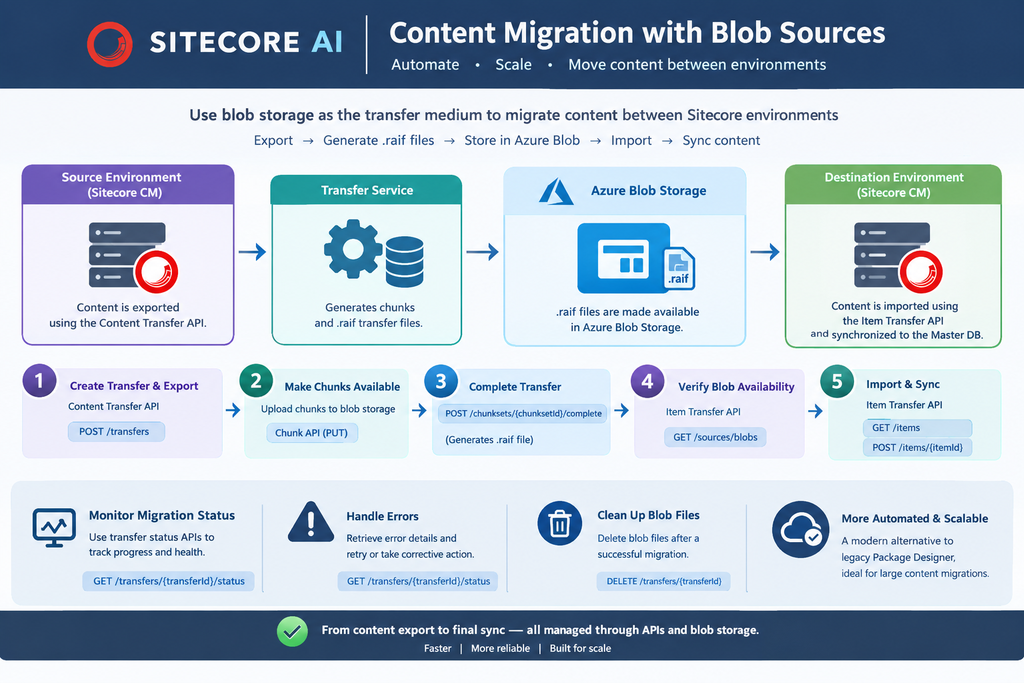
This blog explains how SitecoreAI content migration uses blob sources to transfer content between Sitecore environments. It covers the migration flow from exporting content in the source environment, generating .raif transfer files, and making those files available in Azure Blob Storage, through to importing and synchronizing the content in the destination environment.
The blog also explains how to verify, retrieve and delete blob availability using the Item Transfer API, monitor migration status, handle transfer errors, and clean up blob files after a successful migration. This approach provides a more automated and scalable alternative to the legacy Package Designer workflow, particularly for larger content migrations
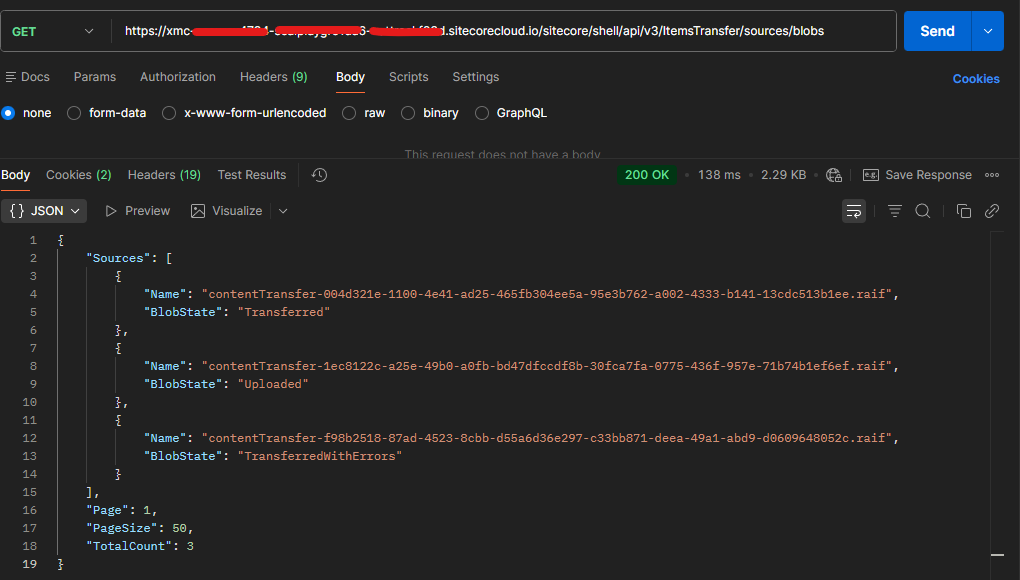
Verify the blob
Http Method- Get
Url- https://your-xmc-instance.sitecorecloud.io/sitecore/shell/api/v3/ItemsTransfer/sources/blobs?page=1&pageSize=50
Headers-
Authorization – token
Response-
{
    "Sources": [
        {
            "Name": "contentTransfer-1ec8122c-a25e-49b0-a0fb-bd47dfccdf8b-30fca7fa-0775-436f-957e-71b74b1ef6ef.raif",
            "BlobState": "Uploaded"
        }
    ],
    "Page": 1,
    "PageSize": 50,
    "TotalCount": 3
}
Check the BlobState- Uploaded
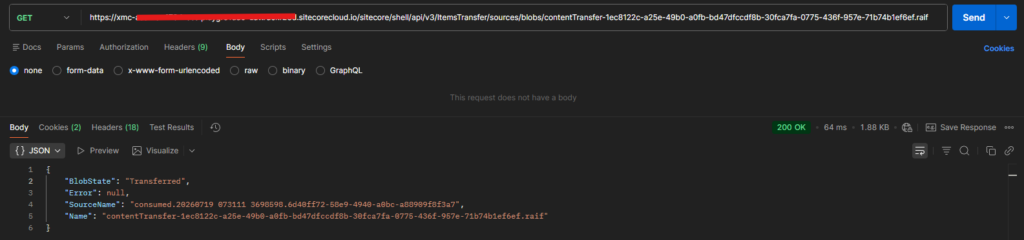
Retrieve specific blob source
Htttp Method – GET
Url – https://your-xmc-instance.sitecorecloud.io/sitecore/shell/api/v3/ItemsTransfer/sources/blobs/{raif}
Example – https://your-xmc-instance.sitecorecloud.io/sitecore/shell/api/v3/ItemsTransfer/sources/blobs/contentTransfer-1ec8122c-a25e-49b0-a0fb-bd47dfccdf8b-30fca7fa-0775-436f-957e-71b74b1ef6ef.raif
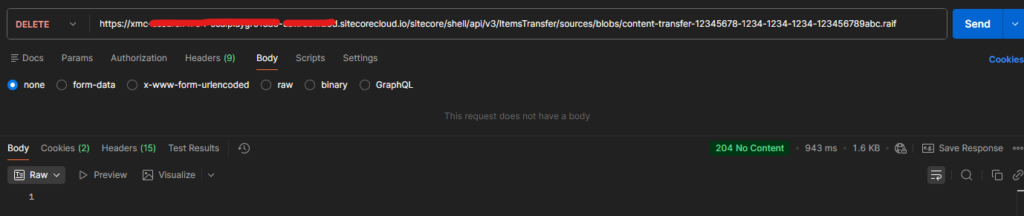
Delete blob
Http Method – DELETE
Url – https://your-xmc-instance.sitecorecloud.io/sitecore/shell/api/v3/ItemsTransfer/sources/blobs/{raif}
Example – https://your-xmc-instance.sitecorecloud.io/sitecore/shell/api/v3/ItemsTransfer/sources/blobs/contentTransfer-1ec8122c-a25e-49b0-a0fb-bd47dfccdf8b-30fca7fa-0775-436f-957e-71b74b1ef6ef.raif
Response-
204 – No Content