


Once the transfer is complete you should be able to see the transferred items and their details. Along with this you can run a clean up process.
See the blog post on how to create a transfer in source environment – Link
See the blog post on how to consume chunks in destination environment – Link
To generate the Automation client and token see this blog post – Link
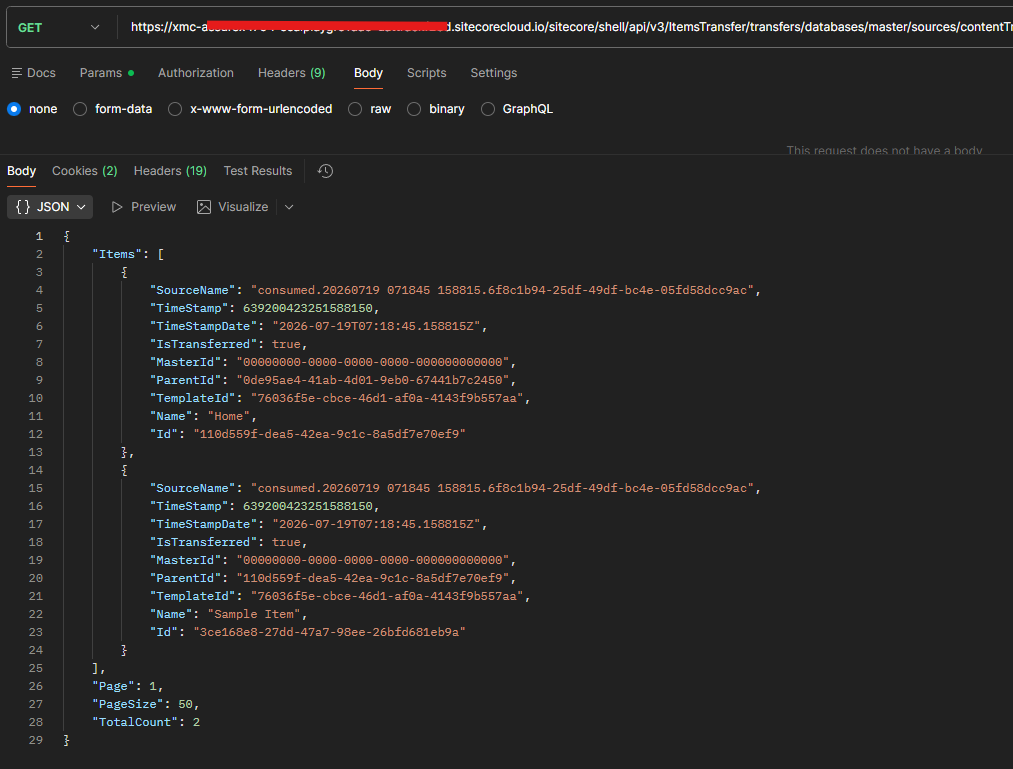
Retrieve Transferred Items
Http Method – GET
Url – https://your-xmc-instance.sitecorecloud.io/sitecore/shell/api/v3/ItemsTransfer/transfers/databases/master/sources/{sourceName}/items?page=1&pageSize=50
Example- https://your-xmc-instance.sitecorecloud.io/sitecore/shell/api/v3/ItemsTransfer/transfers/databases/master/sources/contentTransfer-1ec8122c-a25e-49b0-a0fb-bd47dfccdf8b-30fca7fa-0775-436f-957e-71b74b1ef6ef.raif/items?page=1&pageSize=50
Response –
{
    "Items": [
        {
            "SourceName": "consumed.20260719 071845 158815.6f8c1b94-25df-49df-bc4e-05fd58dcc9ac",
            "TimeStamp": 639200423251588150,
            "TimeStampDate": "2026-07-19T07:18:45.158815Z",
            "IsTransferred": true,
            "MasterId": "00000000-0000-0000-0000-000000000000",
            "ParentId": "0de95ae4-41ab-4d01-9eb0-67441b7c2450",
            "TemplateId": "76036f5e-cbce-46d1-af0a-4143f9b557aa",
            "Name": "Home",
            "Id": "110d559f-dea5-42ea-9c1c-8a5df7e70ef9"
        },
        {
            "SourceName": "consumed.20260719 071845 158815.6f8c1b94-25df-49df-bc4e-05fd58dcc9ac",
            "TimeStamp": 639200423251588150,
            "TimeStampDate": "2026-07-19T07:18:45.158815Z",
            "IsTransferred": true,
            "MasterId": "00000000-0000-0000-0000-000000000000",
            "ParentId": "110d559f-dea5-42ea-9c1c-8a5df7e70ef9",
            "TemplateId": "76036f5e-cbce-46d1-af0a-4143f9b557aa",
            "Name": "Sample Item",
            "Id": "3ce168e8-27dd-47a7-98ee-26bfd681eb9a"
        }
    ],
    "Page": 1,
    "PageSize": 50,
    "TotalCount": 2
}
Retrieve Transferred Item Details
Http Method- GET
Url- https://your-xmc-instance.sitecorecloud.io/sitecore/shell/api/v3/ItemsTransfer/transfers/databases/master/sources/{sourceName}/items/{itemID}
Example- https://your-xmc-instance.sitecorecloud.io/sitecore/shell/api/v3/ItemsTransfer/transfers/databases/master/sources/contentTransfer-1ec8122c-a25e-49b0-a0fb-bd47dfccdf8b-30fca7fa-0775-436f-957e-71b74b1ef6ef.raif/items/3ce168e8-27dd-47a7-98ee-26bfd681eb9a
Response –
{
    "Fields": [
        {
            "Version": 1,
            "Language": "en",
            "Value": "Sample Item for Content Transfer",
            "Id": "75577384-3c97-45da-a847-81b00500e250"
        },
        ...
    ],
    "SourceName": "consumed.20260719 071845 158815.6f8c1b94-25df-49df-bc4e-05fd58dcc9ac",
    "TimeStamp": 639200423251588150,
    "TimeStampDate": "2026-07-19T07:18:45.158815Z",
    "IsTransferred": true,
    "MasterId": "00000000-0000-0000-0000-000000000000",
    "ParentId": "110d559f-dea5-42ea-9c1c-8a5df7e70ef9",
    "TemplateId": "76036f5e-cbce-46d1-af0a-4143f9b557aa",
    "Name": "Sample Item",
    "Id": "3ce168e8-27dd-47a7-98ee-26bfd681eb9a"
}| Operation | HTTP Method & Endpoint | Description | Use Case |
|---|---|---|---|
| List Transferred Items | GET /transfers/databases/{databaseName}/sources/{sourceName}/items | Returns a paginated list of items that have been transferred for an ongoing or completed transfer in the specified database and source. | Use this endpoint to view all items included in a specific transfer and navigate through them using pagination. |
| Get Transferred Item Details | GET /transfers/databases/{databaseName}/sources/{sourceName}/items/{itemId} | Returns detailed information for a specific transferred item, including all captured metadata and localized/versioned field information for the given itemId, database, and source. | Use this endpoint to inspect the complete details of an individual transferred item, including its field values, versions, and metadata. |